USB-C Fix
https://www.nfriedly.com/techblog/2021-10-10-v90-usb-c
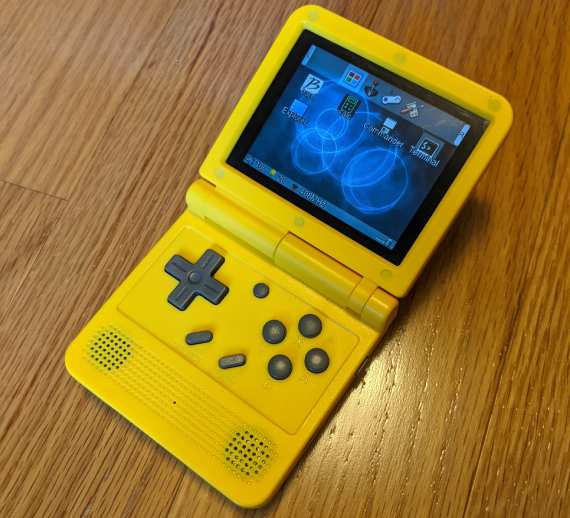
The PowKiddy V90 is an awesome little Linux-powered handheld gaming device. It's reminiscent of a Game Boy Advance SP, and it is capable of emulating most GBA games, in addition to many other consoles including NES, SNES, Genesis, and even some PS1 games!
I love mine, but it's not without it's flaws. The Miyoo custom firmware fixes many of it's issues, but it's inability to charge from a standard USB Type-C ports is a hardware bug. So, it's time to break out the multimeter, soldering iron, and USB-C specification!
The problem
Through ignorance, apathy, or cost-savings (probably some of all three), PowKiddy only connected the power and ground pins on the V90's USB-C port. This is good enough when charging from a USB-A port, because they always provide power. But, when charging from a USB-C port to a USB-C port, they first have to decide which side supplies the power. Since the V90 didn't connect the pins to perform this negotiation, it never happens.
I was vaguely aware that the negotiation could be done with resistors after reading about the Raspberry Pi 4 fiasco. (Short version: the spec calls for two resistors, the Pi 4 used one, it worked sometimes but not always.) Benson Leung has a good article that explained that situation and gave me a good head start on what I needed to do here. That led me to reading (part of) the actual USB Type-C Cable and Connector
Specification, specifically Section 4.5.1.3.2 Sink Configuration Channel Functional Model and Table 4-25 Sink CC Termination (Rd) Requirements.
The solution
For a device that is only a sink (meaning it only takes power and never supplies power), and only needs 5 volts and no more than 3 amps (15 watts), the setup is fairly simple. The CC1 and CC2 pins each need to be pulled down (connected to ground) via 5.1 kΩ resistors. I happened to have some of these resistors that I got in a kit from ElectroDragon (600 resistors for $3, or $0.005 per resistor.)
Identifying the pins
Now I just needed to figure out which pins were CC1 and CC2. For that, I bought a couple of USB-C test/pass-through/break out boards off of Ali Express. On this particular adapter, the pins are mostly labeled by pin number rather than function, so CC1 is A5 and CC2 is B5. I figured it out the hard way, but it turns out it's also listed in the spec, in Table 3-4 USB Type-C Receptacle Interface Pin Assignments under Section 3.2.3 Pin Assignments and Descriptions 🤷♂️
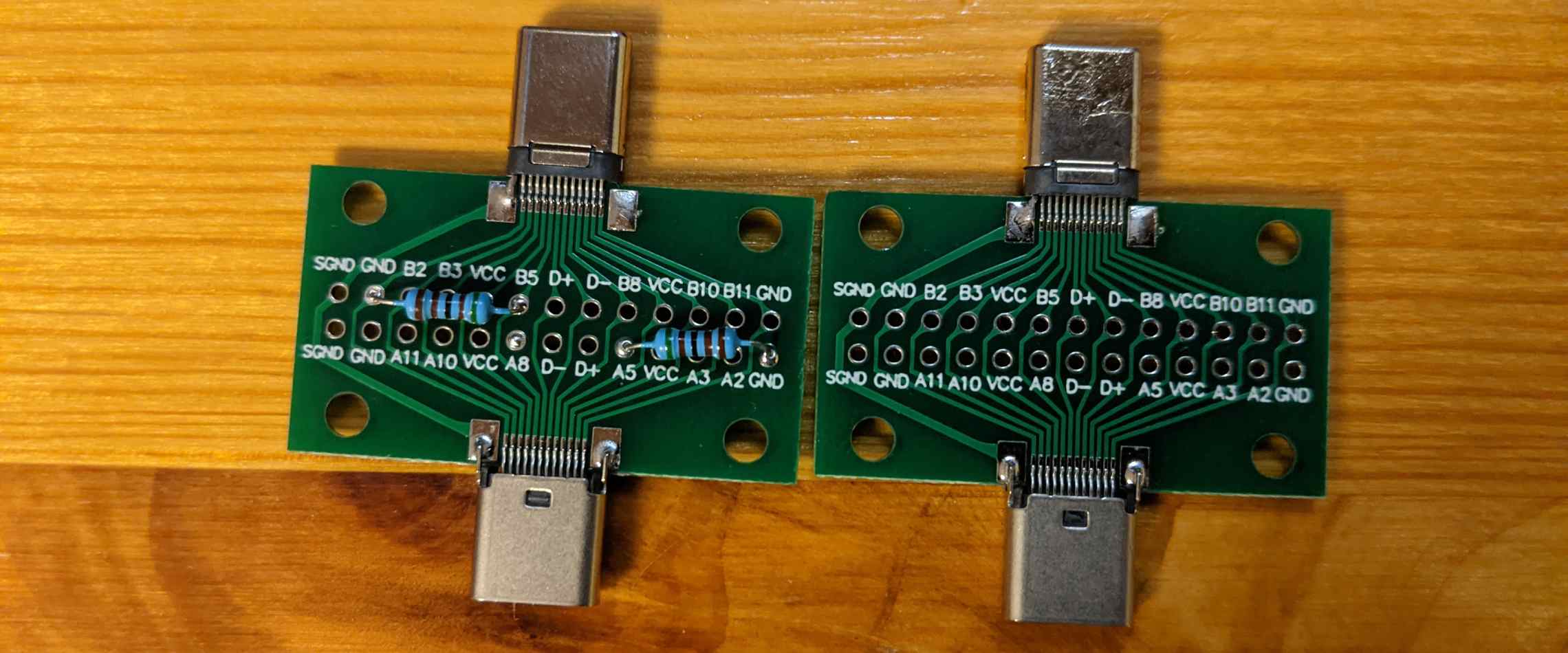
I used the right one with a multi-meter to determine which pins on the V90 matched to CC1 and CC2, and I soldered resistors onto the left one to test my theory that all the V90 needed was a couple of resistors. The test results confirmed it - with the resistors soldered into the breakout board, I could charge from my 87W USB-C MacBook Pro charger! (Obviously not at 87 watts - the v90 only draws a maximum of ~3.5W when gaming and charging.)
In my case, the correct pins for CC1 and CC2 on the V90 were the leftmost and second-to-the-right "small" pins (the bigger pins on the outside edges are VCC and ground), but I won't guarantee that they are in the same order on your device.
Fixing the V90
Next came the fun part: actually soldering in the resistors. The connectors are tiny and my soldering skills are somewhat 💩.
Getting the resistors to stay put while I soldered them was a huge pain. I bent them, clipped them short, then used a helping hand tool to hold one, and another helping hand to hold a magnifying lense. In hindsight, maybe I should have kept them straight and taped them in place. Oh well.
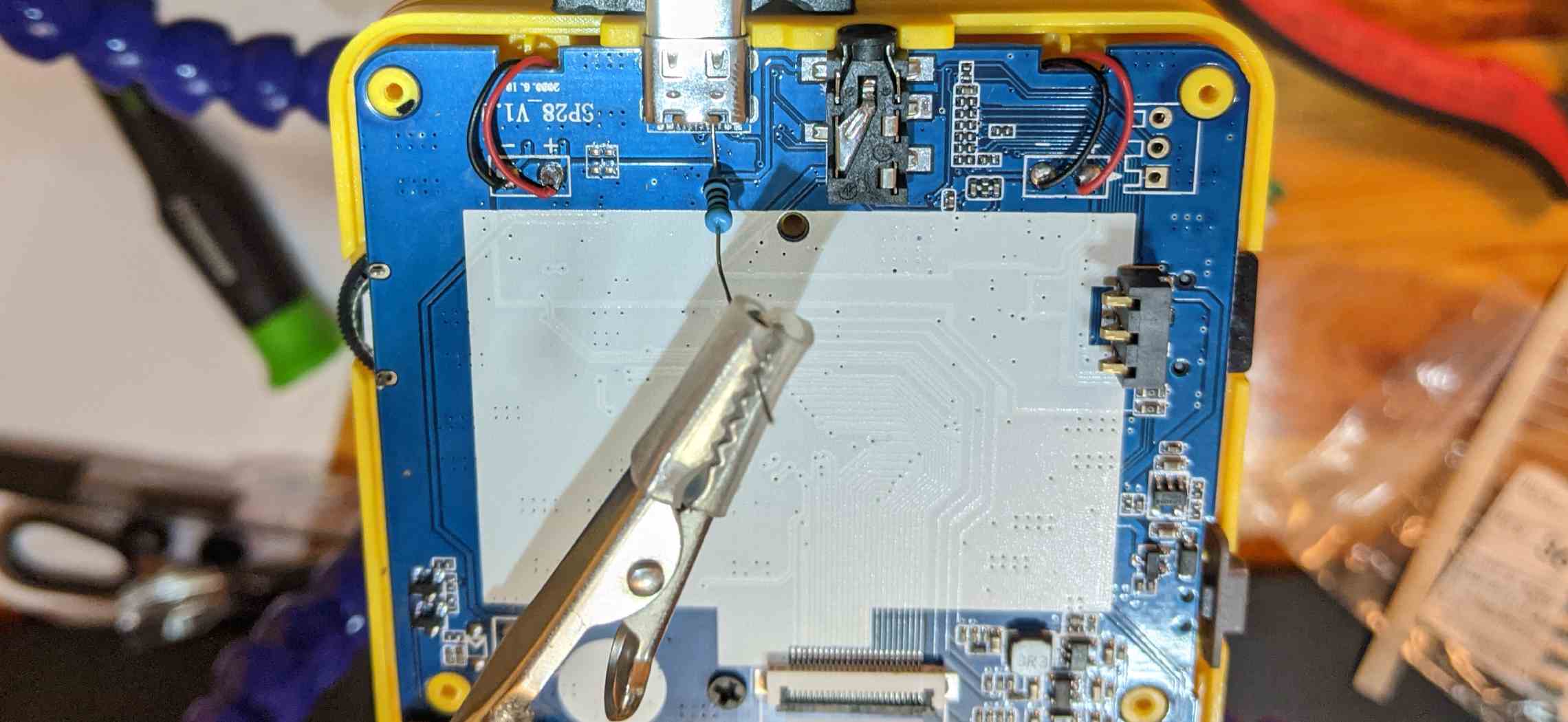
I confirmed that the outer part of the USB-C plug was connected to ground, so I just soldered both of my resistors to that, rather than try to handle a second round of tiny pin soldering.
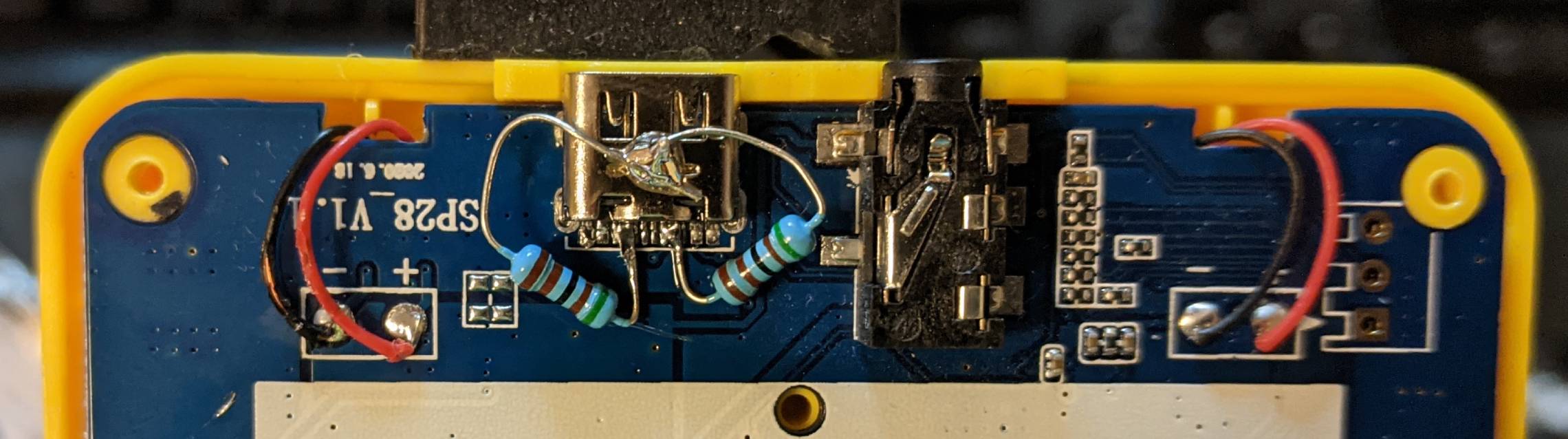
In the end, I accidentally shorted SBU1 to CC1 and SBU2 to CC2, but it didn't seem to cause any problems, so I left it. (The SBUx sideband pins are used for alt-modes like DisplayPort video, but not on this device.) I also accidentally shorted VCC to ground, but I fixed that one.
Success
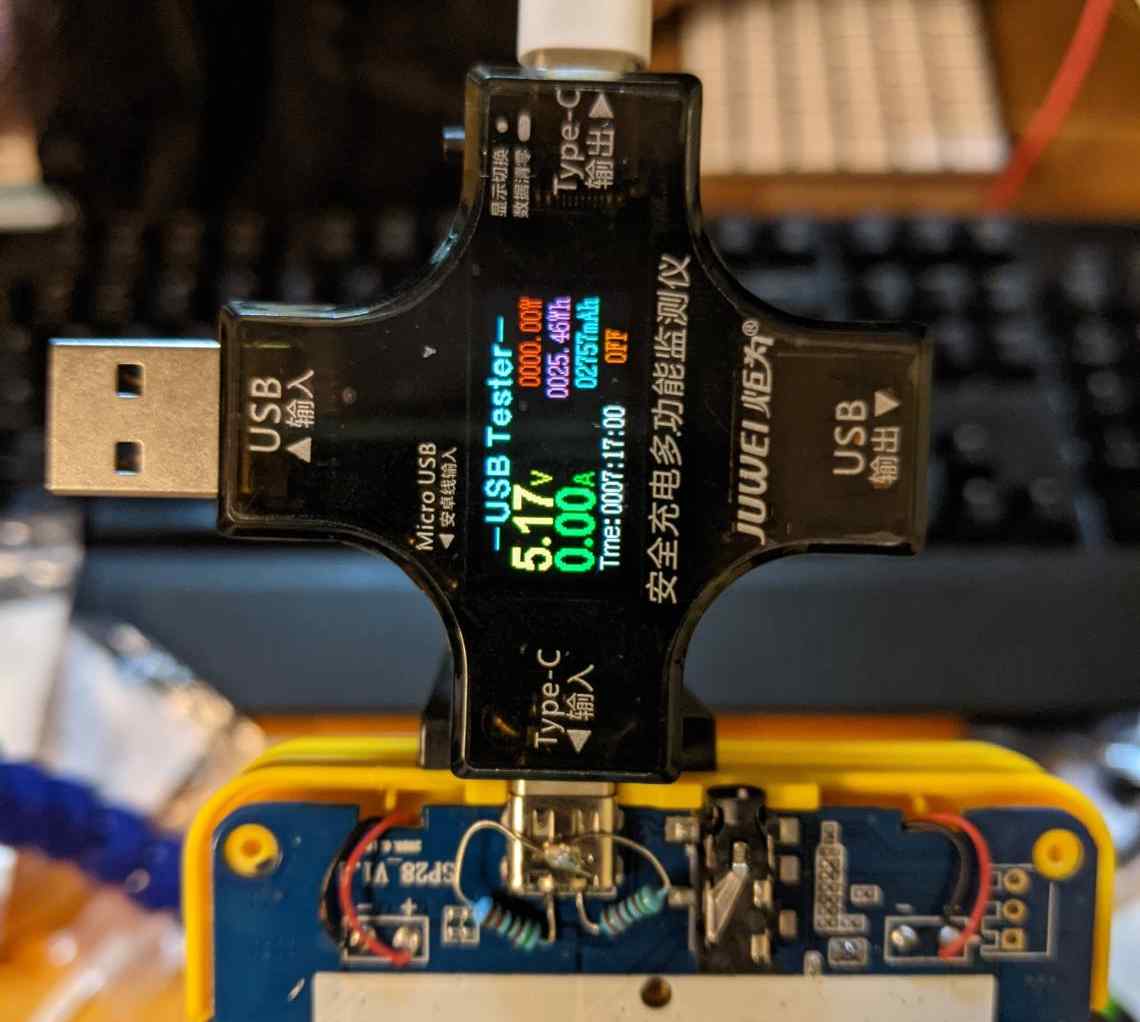
Testing with my Multifunctional USB Digital Tester confirmed that it could now negotiate to receive power from USB-C ports!
I haven't yet, but I'll probably put a blob of hot melt glue over the resistors to keep them from getting shook out of place.
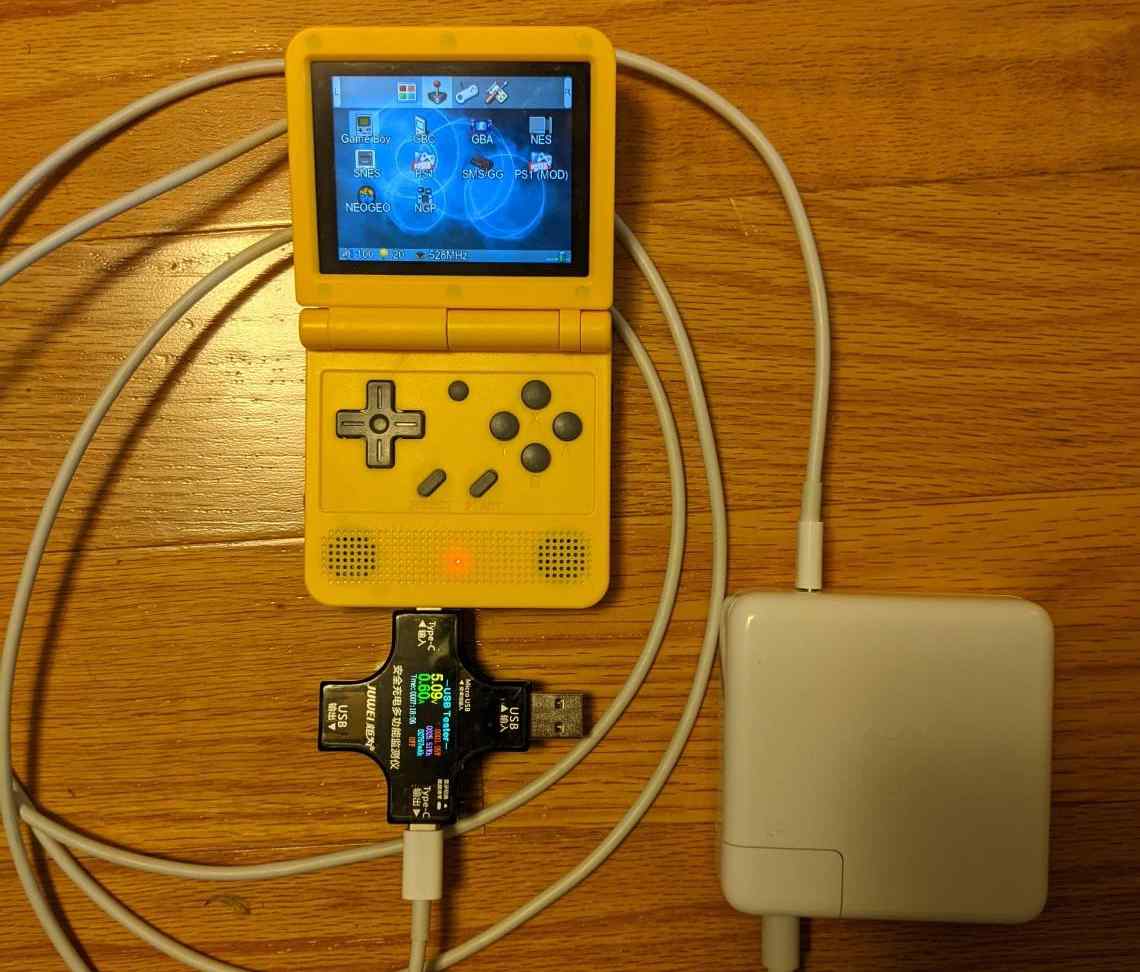
Quick testing with my MacBook charger confirmed that I had done the job correctly, or, at least, correctly enough :D
Conclusion
In summary, I'm happy that my V90 now works with any USB-C charger, but I really wish PowKiddy had just done this at the factory. I would have gladly paid the extra $0.01.