NewComicBook


New Comic Book theme release v1.0
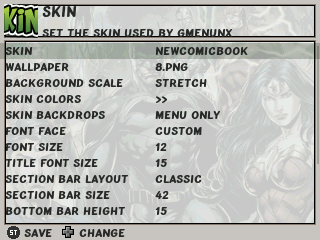
How to install (update) - Download NewComicBook.7z here - If upgrading remove previous versions from the apps/gmenu2x/skins/ folder - Copy 'NewComicBook' folder from NewComicBook.7z archive must be copied to apps/gmenu2x/skins/ folder - Go to the 'Skin' settings and use left/right to find and select 'NewComicBook' skin - Go to the 'Skin' > 'Wallpaper' section and select one of 10 wallpapers you like the most - Confirm your choice with 'Start' button
Have fun with a super-duper 'NewComicBook' theme!\ Thanks to Segich & SimplEasy for artwork
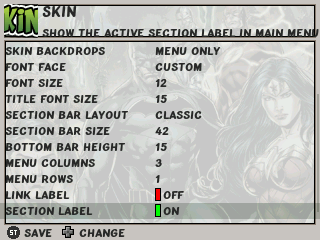
Note: Apply these settings below in skin settings